Build a DIY Emergency Fund with Automatic Savings Apps

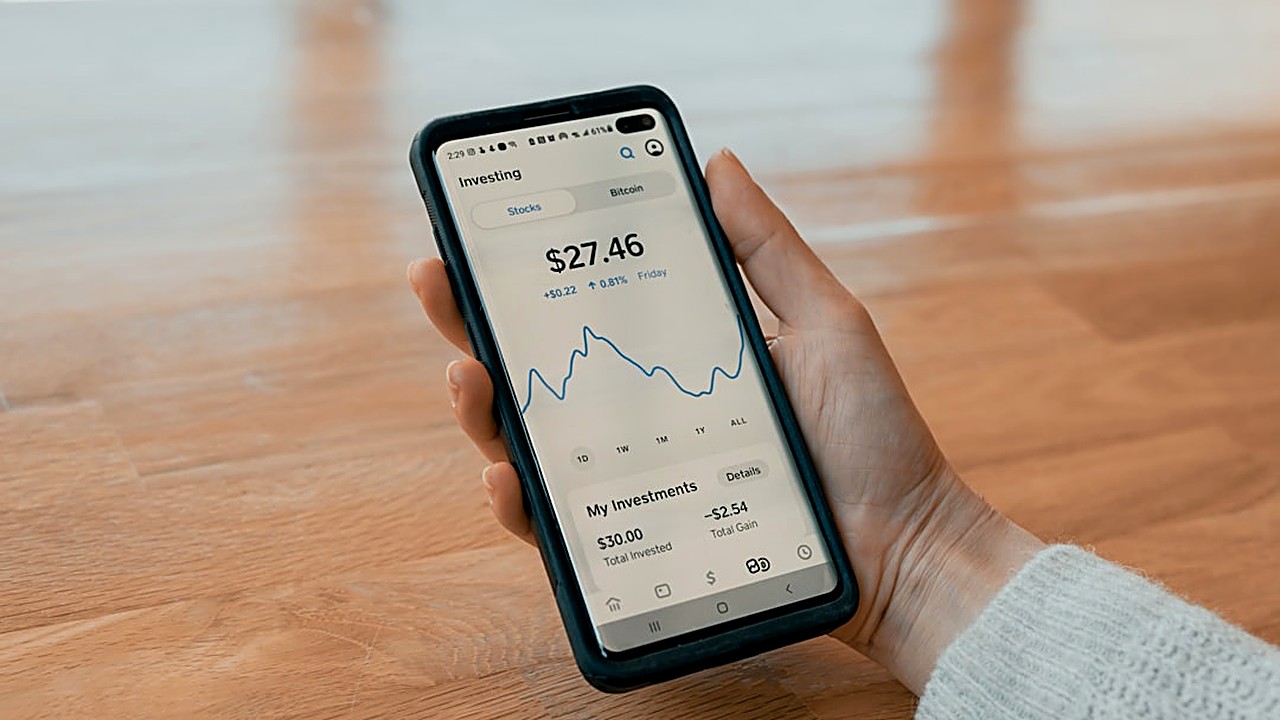
Quick answer: Start by picking an app that rounds up purchases or moves a set amount each payday into a separate account. Link it to your checking, set a modest daily or weekly goal, and let the app handle the rest. Over time the balance grows without you having to think about it.↗ Share on X
Why an Emergency Fund Matters
 Personal Finance for Busy People: 5 Moves in One Hour →
 Money Checkup: 10 Things to Review Before You Make a Budget →
 Personal Finance Basics: The First 10 Things to Check Now →
Life throws curveballs—car repairs, medical bills, or a sudden job loss. Having cash ready can keep you from relying on high‑interest credit cards or borrowing from friends. Financial experts often suggest three to six months of living expenses, but the exact number depends on your job stability, family size, and personal comfort level. The goal is simple: a safety net that you can tap without panic. A well‑stocked fund reduces stress and gives you breathing room when the unexpected arrives.
Clear money tips in your inbox. No hype.
Choosing the Right Automatic Savings App
Affiliate link. We may earn a commission on purchases, at no extra cost to you.
This content is informational and is not investment advice or financial consulting.
There are three main types of apps that can help you save without manual effort. Round‑up apps capture the difference between each purchase and the next whole dollar, then transfer that spare change to a savings account. Micro‑deposit apps move a fixed amount—say $1 or $5—from each paycheck. Goal‑based apps let you set a target amount and schedule recurring transfers until you hit it.
When evaluating options, look for:
- Low fees: Some apps charge a monthly fee that can eat into your tiny balances.
- FDIC protection: Ensure the money sits in a bank‑insured account.
- Ease of linking: Direct connection to your checking account speeds up setup.
I tried two different round‑up services for six months. The one with a $0 fee and a simple dashboard let me watch my fund grow from $0 to $420 without any extra effort.
Setting Up a DIY Savings Rule
 7 Signs Your Emergency Fund Is Set Up Wrong (Fix Each) →
 Emergency Fund Mistakes: 7 Signs Yours Is Set Up Wrong →
 Is an Emergency Fund Worth It? The Real Cost vs. the Benefit →
Pick a rule that matches your cash flow. If you get paid bi‑weekly, a $5 transfer every payday may be realistic. If you prefer a daily habit, a $0.50 round‑up works well. The key is consistency, not the exact amount.
Steps to get started:
1. Identify your target: Decide on a dollar figure that feels safe for you.
2. Select the app: Choose one that supports your preferred rule.
3. Link accounts: Connect your checking account and the app’s savings account.
4. Set the rule: Activate round‑up or schedule the micro‑deposit.
5. Test it: Make a small purchase and watch the app move the spare change.
When I first built my own fund, I set a $3 round‑up rule. Within three weeks the app had transferred $15, enough to cover a minor car maintenance expense.
Monitoring Progress and Adjusting
Even though the process is automatic, a quick monthly glance keeps you honest. Most apps provide a simple chart that shows cumulative savings. If you notice the balance lagging, consider raising the transfer amount or adding a one‑time boost after a bonus or tax refund.
Avoid the temptation to treat the fund like a regular checking account. Keep it separate, and only withdraw for true emergencies. A good practice is to label the account "Emergency Fund" and lock it behind a password that you only use in a crisis.
Tips to Keep the Fund Accessible and Safe
- Use a high‑yield savings account: Even a modest interest rate can add up over time.
- Enable two‑factor authentication: Protect the app from unauthorized access.
- Set up alerts: Receive a notification each time a transfer occurs; it reinforces the habit.
- Reassess annually: Life changes—new dependents, a move, or a different job may require a larger cushion.
By treating the fund as a living part of your budget, you avoid the myth that saving is a one‑time project. The app does the heavy lifting; you provide the direction.
Disclaimer: NOT a CFP, NOT a Registered Investment Advisor. Content is informational. Consult a licensed professional for specific decisions.
Frequently asked questions
Can I use multiple apps at once?
Yes, you can combine a round‑up app with a goal‑based app if each serves a distinct purpose, but be mindful of overlapping fees.
What if I miss a transfer?
Most apps will simply wait for the next scheduled event. Missing one transfer won’t reset your progress; you can always add a manual boost later.
Is it safe to keep the fund in the same bank as my checking?
As long as the account is FDIC‑insured, keeping both in the same institution is fine. Some people prefer a different bank for added separation.
How much should I aim to save each month?
The amount depends on your income and expenses. A common starting point is 5% of net pay, but even a small percentage can compound over time.
Do these apps affect my credit score?
Automatic savings apps typically do not involve credit checks, so they have no direct impact on your credit score.
*NOT a CFP, NOT a Registered Investment Advisor. Content is informational. Consult licensed professional for specific decisions.*
Sources
- Bankrate — How to Save Money — Practical strategies for building savings.
- NerdWallet — How to Budget — Step-by-step budgeting frameworks and ratios.
Clear money tips in your inbox. No hype.
Educational content, not personalized financial advice. Sources cited where applicable.