Find Forgotten Subscriptions on Your Bank Statement

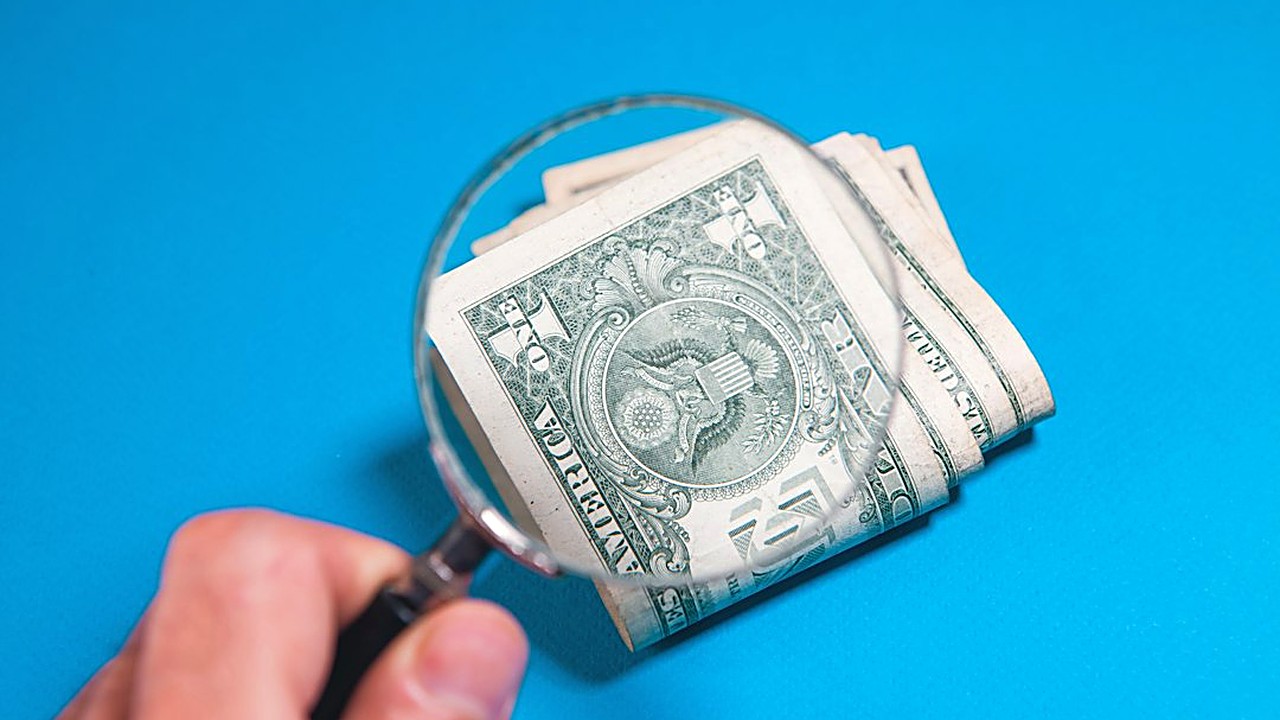
Quick answer: Download the last three months of statements from every bank account and card, sort the charges by merchant name, and mark anything that repeats. Check your Apple, Google, and PayPal subscription lists, since many charges hide there. Then cancel each one where you signed up and save the confirmation.↗ Share on X
To find hidden recurring digital fees, download the last three months of statements from every bank account and credit card, then look for any charge that shows up with the same (or almost the same) amount on roughly the same day each month. Mark each one, match it to a service you actually use, and cancel or downgrade the rest. Most people can finish a first pass in about an hour, and the three-month window matters: it catches monthly charges, plus anything that changed price or slipped in during a free trial.
Below is the exact step-by-step process, a worksheet you can copy, the sneaky charge names to watch for, and what to do when you can't figure out what a charge is.
Note: This article is general education, not financial advice. If you find charges you believe are fraud, contact your bank or card issuer right away. For help with debt or a budget that isn't working, a nonprofit credit counselor or a licensed financial professional can look at your full situation.
What counts as a "hidden recurring digital fee"?
 Where to Keep Your Emergency Fund So It's Safe and Ready →
 Irregular Income? Pay Yourself a Steady Salary in 5 Steps →
 Savings Rate Without the Employer Match: The Honest Math →
A recurring digital fee is any charge that repeats automatically for something online. "Hidden" usually means one of these:
- Forgotten subscriptions: a streaming service, app, or cloud storage plan you stopped using but never canceled.
- Free trials that rolled over: you signed up for "7 days free" and it quietly turned into a paid plan.
- Price increases: a service you still use raised its price and only told you in an email you didn't read.
- Add-ons: an extra profile, a premium tier, or "ad-free" upgrade billed separately.
- App store bundles: charges that show only as the app store name, not the actual app.
- Duplicate plans: two family members each paying for the same service.
- Annual renewals: charged once a year, so they never show up in a monthly check.
The last one is why a quick look at one statement isn't enough. You need a longer view for yearly charges, which we cover in step 6.
Clear money tips in your inbox. No hype.
Step 1: What do you need before you start?
Affiliate link. We may earn a commission on purchases, at no extra cost to you.
This content is informational and is not investment advice or financial consulting.
Gather these before you sit down. It keeps you from stopping halfway.
1. Logins to every bank account and credit card you have, including store cards and any card saved in a phone wallet.
2. Access to your app store accounts (Apple and Google). Many subscriptions bill through them.
3. Your PayPal or other payment app login, if you use one. Subscriptions billed there may show on your bank statement only as "PayPal."
4. A spreadsheet or a sheet of paper with five columns (see the worksheet below).
5. About one uninterrupted hour.
Step 2: How do you download the right statements?
 Got a Windfall? Rebuild Your Budget Before You Spend It →
 Pending Transactions Throwing Off Your Budget? Fix It Fast →
 Emergency Fund in High-Yield Savings: 7 Rules Before Moving →
Log in to each account and download statements for the last three full months. Most banks let you export to a spreadsheet file (often called CSV) or a PDF.
A spreadsheet file is easier because you can sort it. If you only get PDFs, that's fine; you'll just scan by eye.
Don't skip accounts you "barely use." A card sitting in a drawer is a favorite place for forgotten subscriptions, because nobody looks at it.
Step 3: How do you spot repeating charges fast?
If you have a spreadsheet file:
1. Sort the transactions by description (the merchant name). Repeating charges will now sit next to each other.
2. Look for groups of two or three with the same name and a similar amount.
3. Then sort by amount. This catches charges where the name changes slightly each month but the price stays the same.
If you only have PDFs:
1. Put the three statements side by side.
2. Go through the first month line by line. For every online charge, check if it appears in the other two months.
3. Highlight anything that repeats.
Pay extra attention to small amounts. Charges under about $15 are easy to ignore, and that's exactly why they last for years.
Step 4: What names should make you look twice?
Merchant names on statements are often shortened or odd. These patterns deserve a closer look:
| What you see on the statement | What it often means |
|---|---|
| APPLE.COM/BILL or ITUNES | A subscription billed through the Apple App Store |
| GOOGLE *[name] or GOOGLE PLAY | A subscription billed through Google Play |
| PAYPAL *[name] | A charge paid through PayPal; check your PayPal account for details |
| AMZN DIGITAL or Prime Video channels | Amazon add-on channels or digital services |
| A name with "SUB," "MEMBERSHIP," or "PREMIUM" | Usually a recurring plan |
| A short code you don't recognize | Could be a parent company name; search it, then check your email |
| Two charges from the same service | Possible duplicate account or an add-on |
App store charges are the trickiest. Your bank statement only says "Apple" or "Google," so you have to open the app store itself to see which apps you're paying for. On an iPhone, this is in Settings under your name, then Subscriptions. On Android, it's in the Play Store under your profile, then Payments and subscriptions.
Step 5: How do you fill in the audit worksheet?
Copy this table and fill in one row for each recurring charge you found:
| Service | Amount | How often | Last used | Decision |
|---|---|---|---|---|
| Example: Music streaming | $10.99 | Monthly | Yesterday | Keep |
| Example: Photo editing app | $4.99 | Monthly | Months ago | Cancel |
| Example: Cloud storage | $2.99 | Monthly | Not sure | Check, then decide |
For the Decision column, use one of four answers:
- Keep: you use it and it's worth the price.
- Downgrade: you use it, but a cheaper plan would do (for example, a plan with ads, or one profile instead of four).
- Share or merge: someone else in your home already pays for the same thing.
- Cancel: you don't use it or don't remember signing up.
Be honest in the "Last used" column. If you have to think hard to remember the last time, that's usually a cancel.
Step 6: How do you catch yearly charges?
Annual renewals don't show up in a three-month window unless one happened to land there. To catch them:
1. Search your email for words like "renewal," "receipt," "subscription," "your plan," and "annual." Look back 12 months.
2. Check your app store subscription list, which shows annual plans too.
3. Scan the last 12 months of statements just for charges larger than your usual monthly ones. Annual plans often cost more at once.
4. Write each yearly charge on your calendar one or two weeks before the renewal date, so you can decide before you're charged again.
Step 7: How do you cancel without getting charged again?
Canceling the wrong way is a common reason charges keep coming. Follow this order:
1. Cancel where you signed up. If you subscribed through the Apple or Google app store, you must cancel there. Deleting the app does not cancel the subscription.
2. Look for a confirmation. Save the email or take a screenshot of the cancellation screen with the date.
3. Check the next statement. Make sure the charge doesn't come back.
4. Remove your saved card from the service's website if you're sure you won't return.
If a company makes it hard to cancel, contact its customer support in writing (email or chat) so you have a record. If the charge keeps appearing after you've canceled, contact your card issuer and explain. Card issuers have a process for disputing charges, and your saved confirmation helps.
What if you can't tell what a charge is?
Sometimes a name means nothing to you. Try these steps in order:
1. Search the exact name from the statement online. Many companies bill under a parent company name.
2. Search your email for the exact amount (for example, "$7.49").
3. Ask the people in your household. Kids and partners sign up for things too.
4. Check your app store and PayPal accounts.
5. Call or message your bank. They can often give you more details about the merchant.
If you still can't identify it, or you're sure you never signed up, treat it as possible fraud. Contact your bank or card issuer right away. They may cancel the card and send a new one. A small unknown charge is sometimes a test by someone who has your card number, so don't ignore it just because it's tiny.
How often should you repeat the audit?
A full audit like this one is worth doing a few times a year. In between, a quick monthly check keeps new charges from piling up:
- Monthly (5 minutes): look at your statement for any new online charge you don't recognize.
- Every three or four months (1 hour): repeat the full process in this article.
- Every time you start a free trial: set a phone reminder two days before it ends.
One more habit that helps: use one card for all subscriptions. When everything lands in one place, the monthly check takes minutes instead of an hour.
What should you do with the money you free up?
Canceling only helps if the money doesn't disappear into other spending. Pick one use for it right away:
- Move the same amount you canceled into a savings account on the day it used to be charged. Many banks let you set an automatic transfer.
- Add it to your emergency fund if you don't have one yet.
- Put it toward a debt with a high interest rate.
Add up the monthly amounts in your "Cancel" and "Downgrade" rows, then multiply by 12. Seeing the yearly total makes it easier to stick with the decision.
Your next step
Today, before you close this page: log in to the bank account or card you use most for online purchases, download the last three months, and sort the transactions by name. Find just one repeating charge you don't need and cancel it. Then set a calendar reminder for this weekend to finish the full audit with the worksheet above.
FAQ
Does deleting an app cancel the subscription?
No. If you subscribed through the Apple App Store or Google Play, you must cancel inside the app store's subscription settings. Deleting the app keeps the charge running.
How many months of statements should I check?
Three months catches monthly charges and recent price changes. For yearly renewals, search your email and scan 12 months of statements for larger one-time charges.
What should I do about a charge I don't recognize?
Search the exact merchant name and amount, check with your household and your app store accounts, then call your bank. If you never signed up, treat it as possible fraud and report it to your card issuer right away.
Clear money tips in your inbox. No hype.
Educational content, not personalized financial advice. Sources cited where applicable.